

Description
Download AdGuard VPN – Free Secure VPN for Windows, macOS, Android & iOS
Overview
AdGuard VPN is a ninja‑themed privacy tool that promises “Browse like a ninja.” Developed by the seasoned team behind AdGuard’s ad‑blocking suite, this free‑to‑use VPN blends a strong no‑logging stance with a proprietary stealth protocol that disguises VPN traffic as ordinary HTTPS/2 data. The result is a service that stays out of the way of other apps, avoids the speed penalties typical of heavily obfuscated VPNs, and delivers a seamless experience across 52 server locations worldwide. Whether you’re a casual browser protecting your Wi‑Fi on a coffee shop network, a binge‑watcher trying to unlock region‑locked Netflix libraries, or a power user who torrents and needs a reliable kill‑switch, AdGuard VPN aims to satisfy a broad audience without demanding a paid subscription for basic protection. Its 10‑year reputation in the security space adds a layer of trust that many newer VPN brands lack. While the free tier does not unlock every premium feature, the core set—including AES‑256 encryption, automatic kill‑switch, and zero‑log policy—covers the essential privacy bases. In short, AdGuard VPN positions itself as a fast, secure, and user‑friendly alternative to larger, often pricier services like Turbo VPN, StrongVPN, and IPVanish, while carving out a niche with its unique protocol and ninja branding.
Key Features & Capabilities
- Proprietary AdGuard VPN protocol that masks traffic as regular HTTPS/2, reducing detection and speed loss.
- AES‑256 encryption paired with secure TLS for end‑to‑end data protection.
- Automatic kill‑switch that instantly cuts internet access if the VPN connection drops.
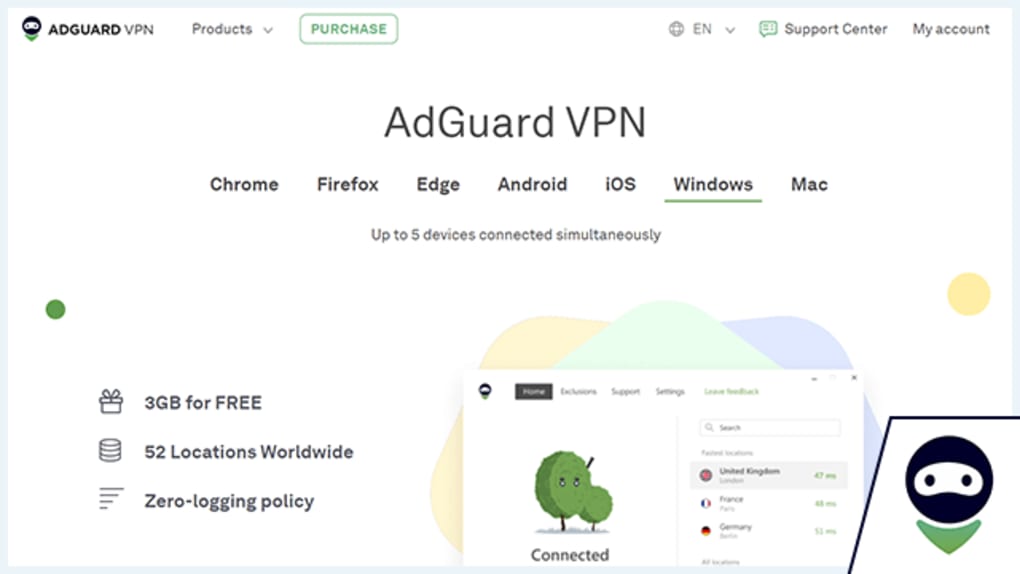
- Free access to servers in over 52 locations across North America, Europe, Asia, and Oceania.
- Support for torrenting and P2P traffic without throttling.
- Full compatibility with major streaming platforms, including Netflix, Disney+, and Hulu.
- Zero‑log policy—AdGuard does not store connection timestamps, IP addresses, or browsing activity.
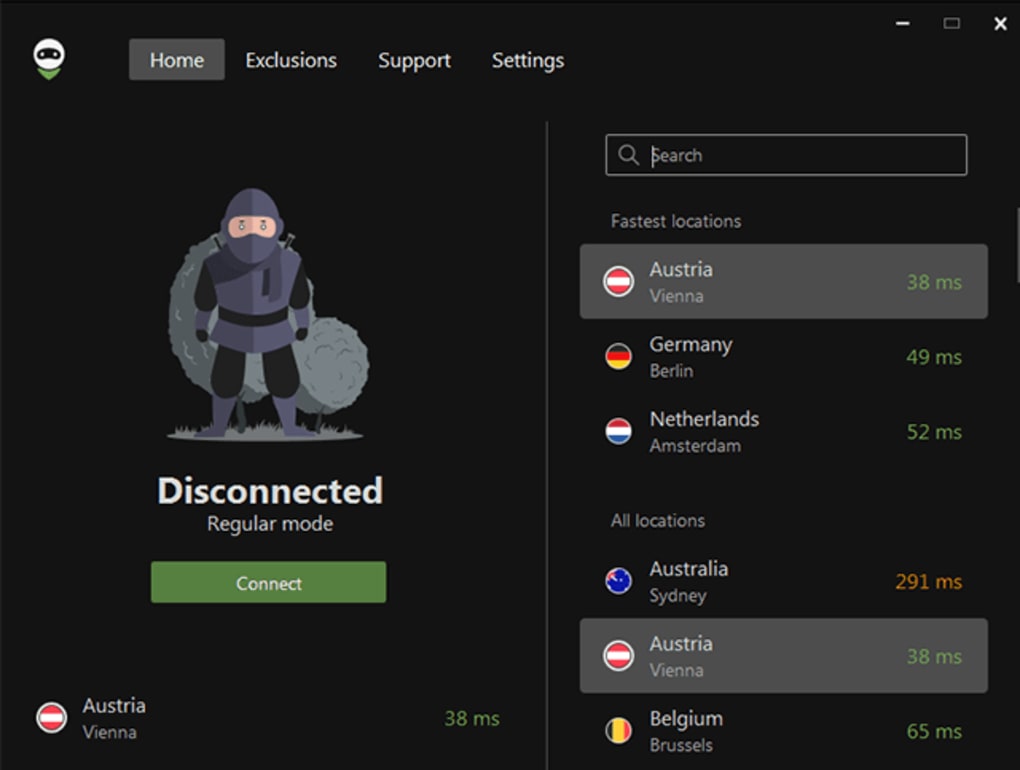
- One‑tap “Connect” button for beginners, plus advanced settings for power users (protocol selection, DNS leak protection, split tunneling).
- Cross‑platform availability: Windows, macOS, Android, and iOS apps share the same account and configuration.
- Regular free updates that keep the protocol and encryption standards current.
Why These Features Matter
The VPN market is saturated with services that either sacrifice speed for security or charge premium prices for basic privacy. AdGuard VPN’s proprietary protocol is a clever workaround for the “speed‑vs‑obfuscation” dilemma. By making VPN packets look like ordinary HTTPS traffic, the app avoids deep‑packet inspection tools that many corporate or public networks deploy, while still preserving the raw throughput of the user’s internet connection. AES‑256, the gold standard in encryption, ensures that even if a malicious actor intercepts traffic, the data remains unintelligible. The kill‑switch adds a safety net for those who handle sensitive information—if the tunnel collapses, the internet connection is immediately blocked, preventing accidental exposure of the real IP address.
Streaming enthusiasts will appreciate the “Netflix ready” label. Many VPNs are blocked by Netflix’s anti‑VPN measures, leading to error messages or reduced video quality. AdGuard VPN’s stealth protocol routinely rotates IPs that are not flagged, providing smoother playback. Meanwhile, torrenters can enjoy unrestricted P2P traffic because the service does not throttle or log file‑sharing activity—a rare combination in a free VPN.
Finally, the zero‑log promise is more than marketing speak. In an era where data harvesting is rampant, knowing that AdGuard does not retain any user logs gives peace of mind, especially for journalists, activists, or anyone operating in high‑risk environments. The blend of advanced security, speed, and user‑centric features makes AdGuard VPN a compelling choice for both novices and seasoned privacy advocates.
Installation, Setup & Daily Usage
Getting started with AdGuard VPN is intentionally straightforward. The process begins on the official website or respective app stores for Windows, macOS, Android, and iOS. After downloading the installer (or tapping “Get” on mobile), launch the setup wizard. The installer verifies system compatibility, then prompts you to create a free AdGuard account—this single sign‑on syncs your preferences across devices. Once logged in, the main dashboard displays a prominent “Connect” button, a map of server locations, and quick toggles for the kill‑switch and split tunneling.
For Windows users, the installation file is a standard .exe that runs with administrator privileges to configure the network adapter. macOS users receive a .dmg package that installs a system extension, which Apple requires to be approved in System Preferences → Security & Privacy. Android and iOS apps are distributed via Google Play and the Apple App Store; they request VPN permissions during first launch, after which the operating system routes all traffic through the AdGuard tunnel.
Daily usage revolves around three core actions:
- Connect/Disconnect: One tap or click toggles the VPN. The app automatically selects the nearest low‑latency server, but you can manually choose any of the 52 locations.
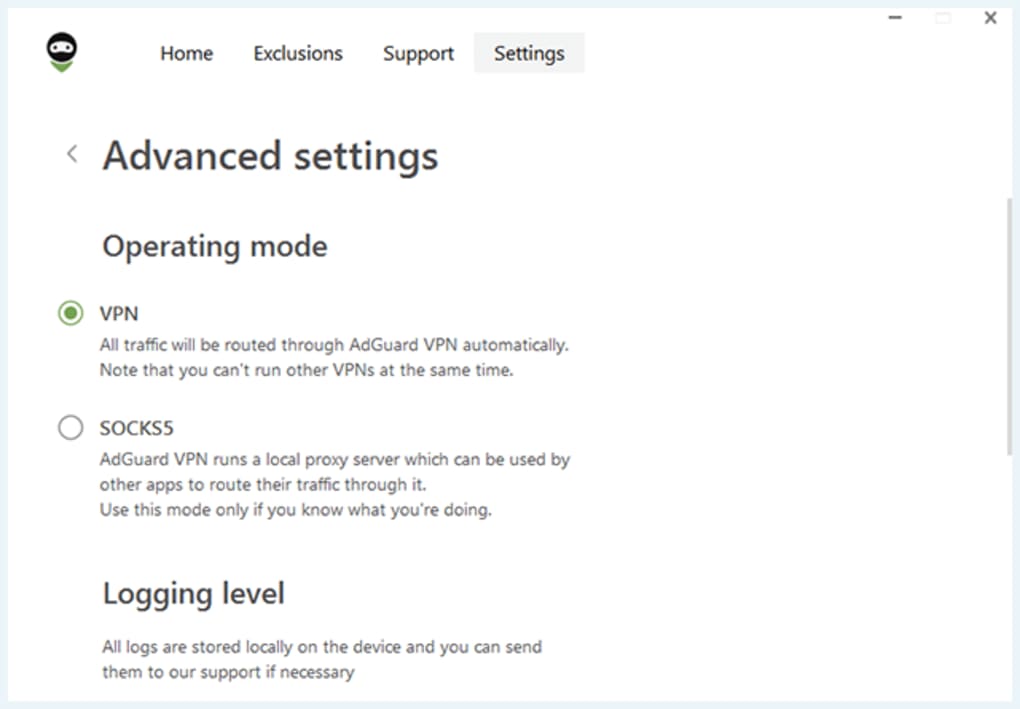
- Switch Protocols (Advanced): In Settings → Protocol, power users can toggle between the default stealth protocol, standard OpenVPN, or WireGuard (if supported). This flexibility helps bypass network restrictions that might block the proprietary protocol.
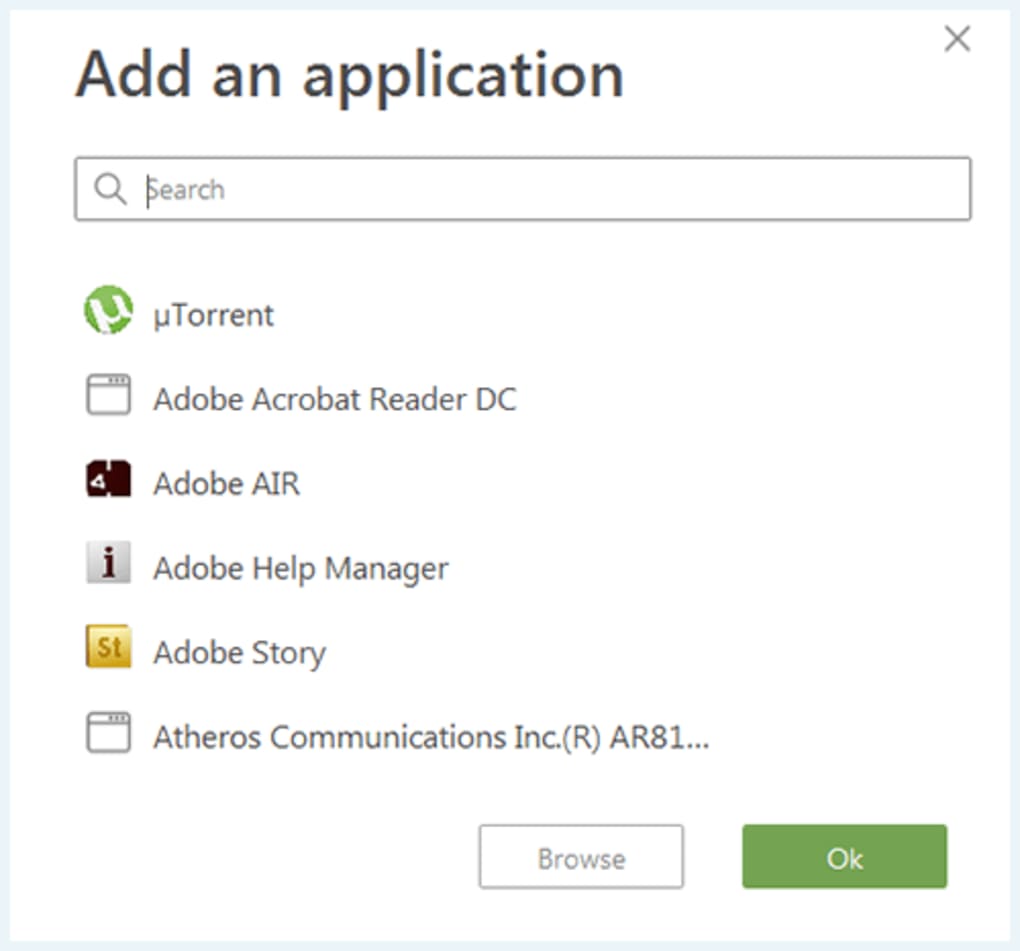
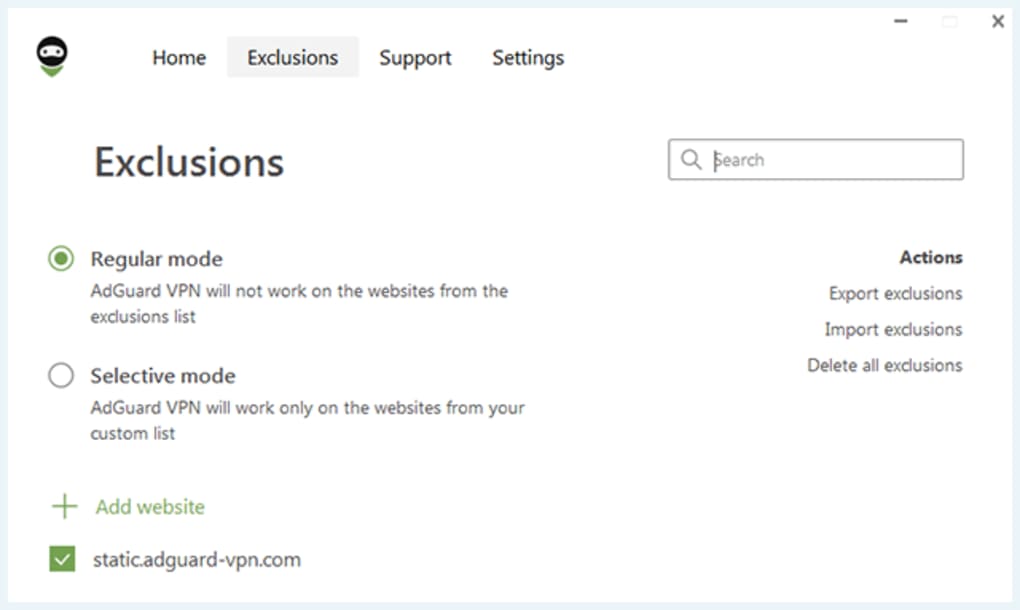
- Enable Kill‑Switch & Split Tunneling: The kill‑switch is on by default for maximum safety. Split tunneling lets you route only specific apps (e.g., a banking app) through the VPN while leaving others on the native connection, conserving bandwidth.
Updates are delivered automatically through the app’s built‑in updater. The free tier receives regular security patches, ensuring the encryption libraries stay current. If you encounter connection issues, the “Diagnostics” tab offers a one‑click test that checks DNS leaks, IP exposure, and server latency, providing actionable tips for resolution.
Compatibility, Pros & Cons
AdGuard VPN supports the four major consumer platforms:
- Windows 10/11 (64‑bit)
- macOS 11 (Big Sur) and later
- Android 8.0 and above
- iOS 13 and above (iPadOS compatible)
Pros
- Fast, stealthy protocol: Maintains near‑native speeds while evading deep‑packet inspection.
- Zero‑log policy: No data retention, enhancing privacy for high‑risk users.
- Free tier includes essential security: Encryption, kill‑switch, and server access without a subscription.
- Streaming‑friendly: Consistently works with Netflix, Disney+, and other platforms.
- Cross‑platform sync: One account, unified settings across devices.
Cons
- No live chat support; help is limited to email and knowledge base.
- Premium features (e.g., dedicated IP, multi‑hop) are locked behind a paid plan.
- Cryptocurrency payments are not accepted, which may deter privacy‑focused buyers.
- Free tier does not include a trial of all advanced settings, limiting hands‑on evaluation.
- Server count, while decent, is lower than some large‑scale competitors offering 200+ locations.
Frequently Asked Questions
Is AdGuard VPN completely free?
AdGuard VPN offers a free tier that includes encryption, kill‑switch, and access to servers in over 50 locations. Premium features such as dedicated IP addresses and multi‑hop routing require a paid subscription.
Can I use AdGuard VPN on multiple devices simultaneously?
Yes. A single free account can be linked to up to five devices across Windows, macOS, Android, and iOS. All devices share the same server list and settings.
Does AdGuard VPN keep logs of my activity?
No. AdGuard follows a strict no‑logging policy—neither connection timestamps nor browsing data are stored or shared with third parties.
Will the VPN slow down my internet speed?
Thanks to its proprietary stealth protocol, AdGuard VPN typically adds less than 10 % overhead, keeping speeds close to your native connection. Speed drops are minimal compared to many obfuscated VPNs.
Can I watch Netflix and other streaming services with AdGuard VPN?
Yes. The VPN’s stealth protocol regularly refreshes IP addresses that are not blocked by Netflix, Disney+, Hulu, and other platforms, allowing uninterrupted streaming.
Conclusion & Call to Action
AdGuard VPN stands out in the crowded free VPN market by delivering a fast, stealthy protocol backed by a decade of security expertise. Its combination of AES‑256 encryption, automatic kill‑switch, and zero‑log policy provides a solid privacy foundation for anyone who wants to browse anonymously without paying a subscription fee. While the absence of live chat support and crypto payments may be minor drawbacks, the overall value—especially for users focused on streaming, torrenting, or simply securing public‑Wi‑Fi—makes it a worthy addition to your digital toolbox. Ready to experience ninja‑level privacy? Download AdGuard VPN now and enjoy free, secure browsing across all your devices.
Guides & Tutorials for AdGuard VPN
How to install AdGuard VPN
- Click the Preview / Download button above.
- Once redirected, accept the terms and click Install.
- Wait for the AdGuard VPN download to finish on your device.
How to use AdGuard VPN
This software is primarily used for its core features described above. Open the app after installation to explore its capabilities.
User Reviews for AdGuard VPN 0
No reviews found





.webp)